Work OS
A personal chief of staff: one daily view of what needs me, what I'm waiting on, and what's next.
My role
Product owner, designer, and requirements author. I directed an AI assistant to build it.
Timeline
Mockup, build, and first private deployment in a single day.
Sources
Email, chat, calendar, and meeting recaps, all read-only.
Status
Live, private, and my first stop every morning.
1h → 5m
Daily triage, from an hour of digging to five minutes
1 view
Replacing an inbox, chat, calendar, recaps, and two separate tools
1 day
From clickable mockup to private deployment
The problem
My day runs through an inbox, team chat, a packed calendar, recorded meetings, and two tools I'd already built. Requests buried in a chat thread or a CC line slipped. Meetings started cold because the last recap and action items lived somewhere else.
Focus time disappeared behind back-to-back meetings, and a weekly status update meant stitching everything together by hand.
My approach
1. Write the constraints first
A safeguards section in the brief stopped scope creep and settled trade-offs early.
2. Explainable over clever
Every flagged item shows why it was raised, so I can trust it and correct it.
3. Propose, then approve
Anything that moves information between tools waits in one approval queue, with an audit log.
4. Ship in phases
Each phase ended with a stop-and-show checkpoint before the next began.
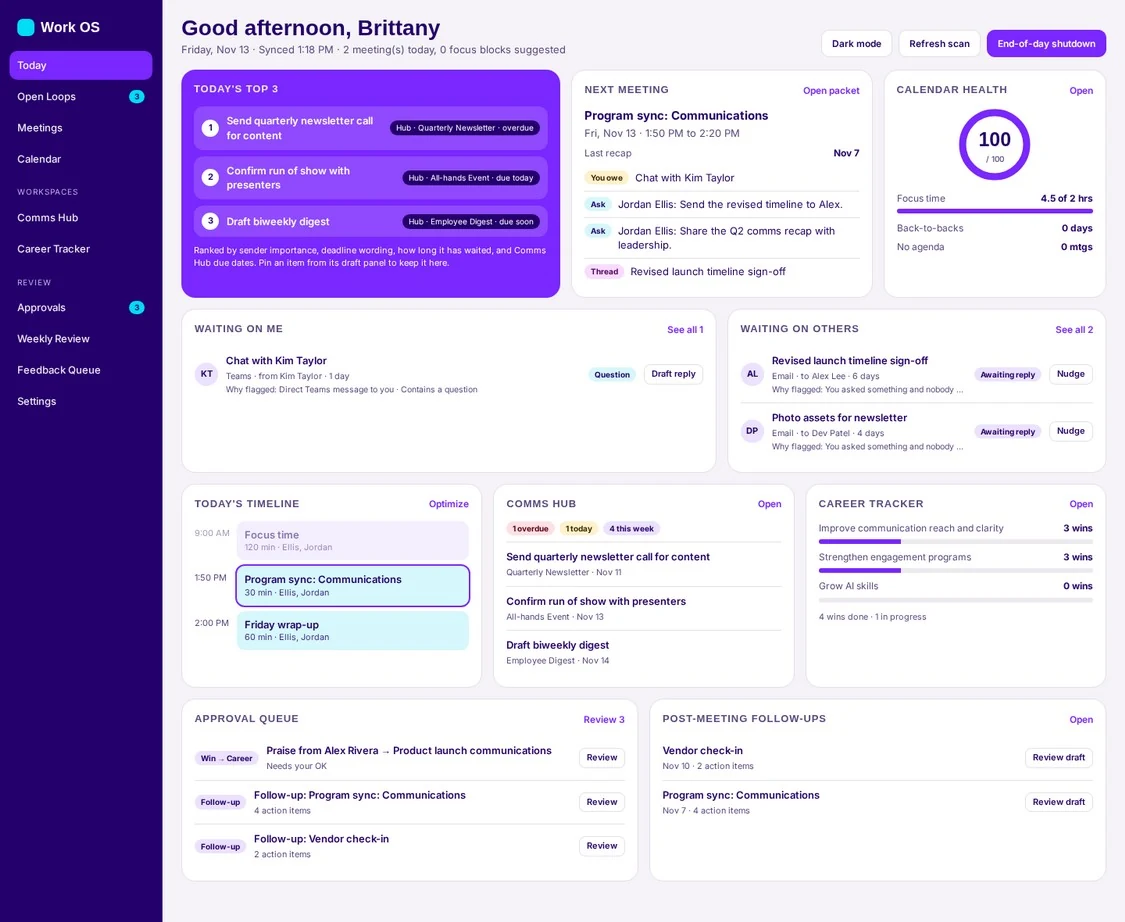
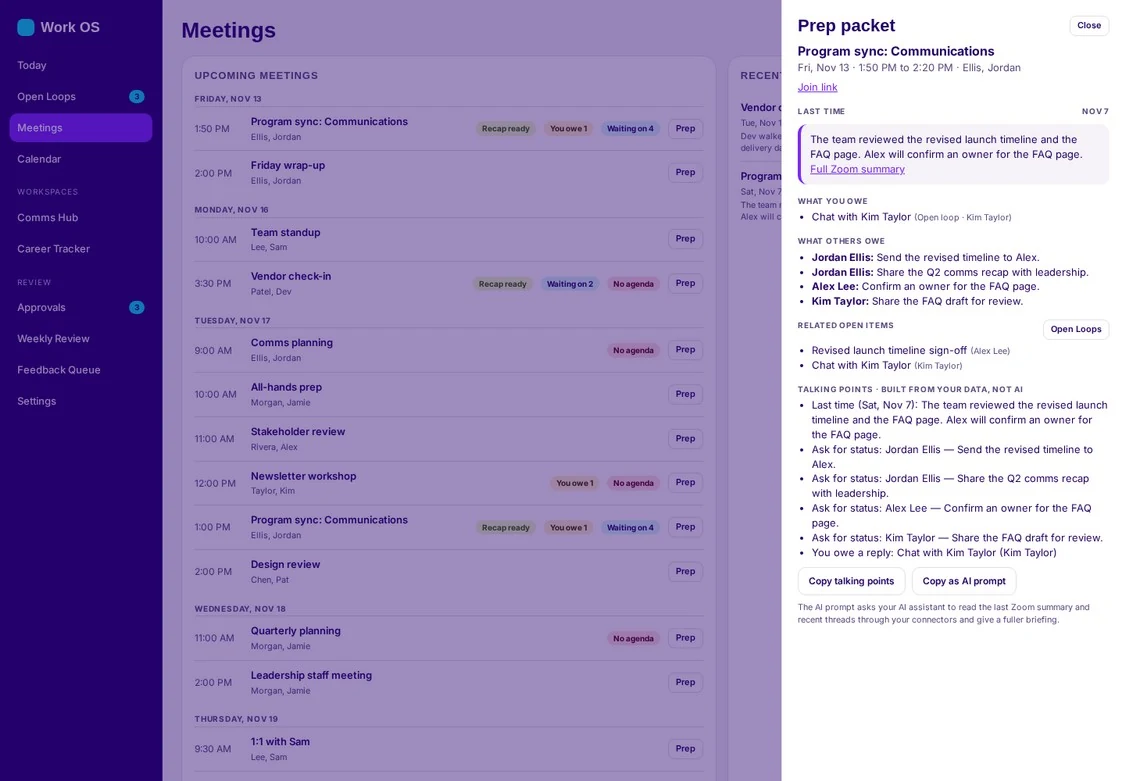
Screens show sample data.
What I learned
Daily tools earn trust by showing their reasoning, not by being impressive.
Instead of a hidden AI making calls I couldn't see, Work OS uses clear rules and shows the reason behind every flag. That transparency is what makes it something I rely on every day.